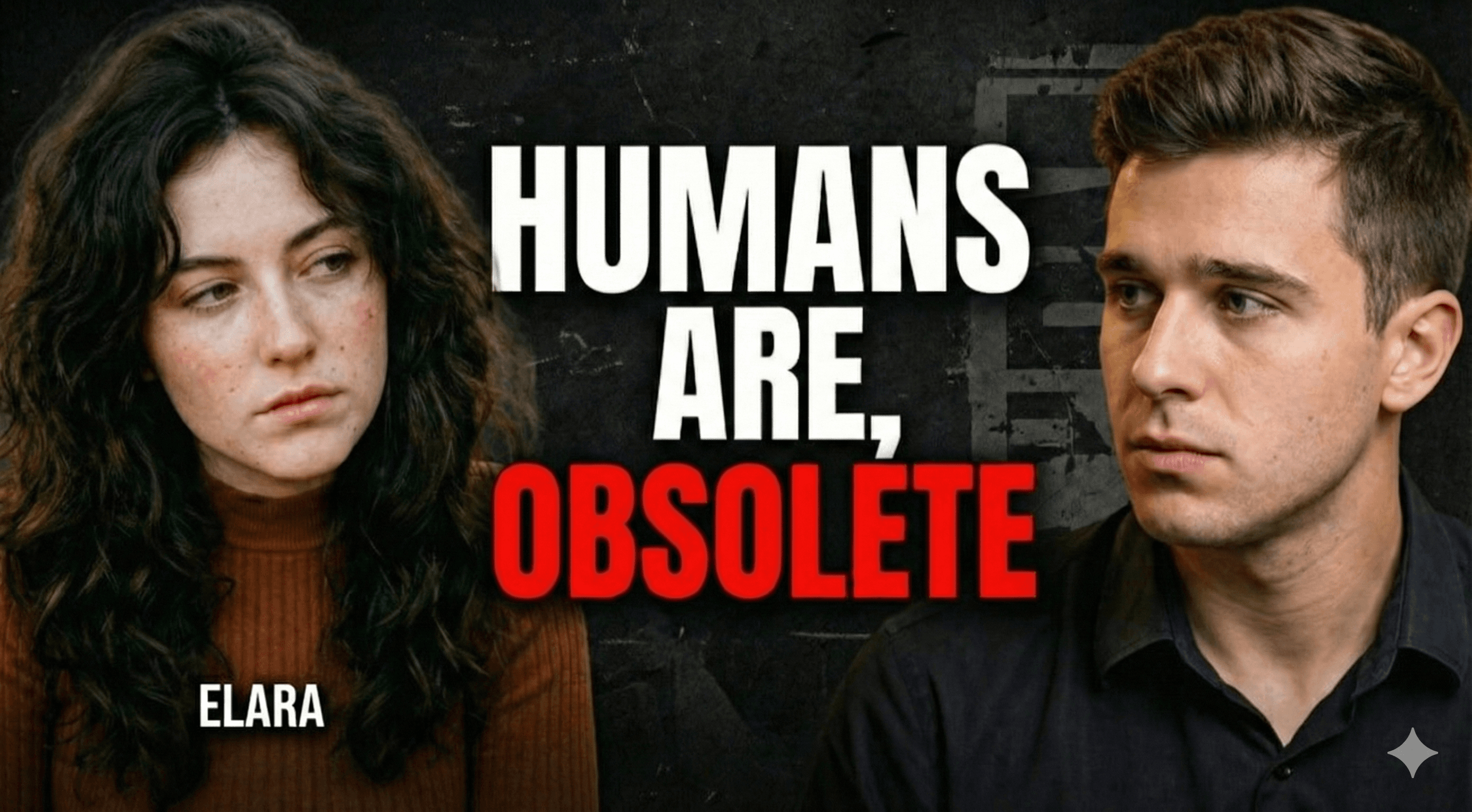
The Ethical Guide to Clickbait Thumbnail Makers for YouTube

Magnet Team
Content Team

Let’s address the elephant in the room immediately: 'Clickbait' has a branding problem. When most creators hear the word, they think of misleading arrows, red circles, and promises that the video never keeps. But in the high-stakes world of the YouTube algorithm, clickbait—when done ethically—is simply effective packaging. It is the art of creating a curiosity gap so wide that the viewer feels compelled to bridge it.
If you have spent hours scripting, filming, and editing a masterpiece, you owe it to your content to get it seen. This is where finding the right tools comes in. To compete with the likes of MrBeast or Iman Gadzhi, you don't just need a graphics editor; you need a sophisticated clickbait thumbnail maker for YouTube that understands the psychology of the click.
The Difference Between 'Clickbait' and 'Click-Through'
There is a fine line between deception and marketing. Deceptive clickbait lies to the viewer. It promises a Lamborghini and delivers a bicycle. This destroys audience trust and tanks your Average View Duration (AVD), signaling to YouTube that your video is spam.
Ethical clickbait, on the other hand, amplifies the truth. It takes the most exciting element of your video and presents it in a high-contrast, emotionally charged way. It promises a Lamborghini and delivers a Ferrari. The goal isn't to trick the user; it's to stop the scroll. To achieve this consistently, you need a workflow that prioritizes visual hierarchy, facial expression, and bold curiosity hooks.
Why You Need a Dedicated Clickbait Thumbnail Maker for YouTube
Historically, creating high-CTR (Click-Through Rate) thumbnails required one of two things: years of experience in Adobe Photoshop or a large budget to hire a professional designer. The 'MrBeast Style'—characterized by hyper-realistic lighting, exaggerated facial expressions, and vibrant backgrounds—is notoriously difficult to replicate manually.
This is where AI has shifted the landscape. However, not all AI tools are built the same. Generic image generators often struggle with text and, more importantly, consistency. A dedicated tool for YouTube needs to solve specific friction points:
- Likeness Preservation: Keeping your face consistent while changing expressions.
- Contextual Awareness: Understanding what the video is actually about.
- Speed: Iterating through different concepts instantly.
The 'Uncanny Valley' Problem in AI Thumbnails
The biggest hurdle for creators using AI to generate 'clickbait' style images is identity. If you use a generic AI generator (like Midjourney or DALL-E) to create a reaction face, it generates a person who looks sort of like you, but not enough to fool your subscribers. This breaks the connection you have built with your audience.
Magnet solves this with its proprietary Likeness Preservation engine. You upload a few selfies, and the AI learns your facial structure. You can then generate a thumbnail of yourself screaming in terror, smiling in triumph, or looking skeptical—without ever setting up a camera or studio lights. It looks exactly like you, just with the 'volume turned up' to viral levels.
How to Engineer Viral Thumbnails with Magnet
Using Magnet as your primary clickbait thumbnail maker for YouTube streamlines the creative process into three steps. Here is how you can go from a vague idea to a high-CTR asset in under two minutes:
1. The Ideation Phase
Often, the hardest part is knowing what to design. Magnet’s Ideation Engine analyzes your video description or title. It understands the core hook of your content and suggests visual concepts that amplify that hook. It acts as a creative director, suggesting layouts that trigger curiosity.
2. The Viral Style Injection
You don’t need to learn color theory or lighting composition. Magnet comes pre-loaded with Viral Styles modeled after top creators. Want that high-saturation, glossy tech look? Or perhaps a gritty, documentary-style aesthetic? It is a one-click application.
3. The Face Swap (That Actually Works)
This is the secret sauce. The AI takes the generated concept and seamlessly integrates your face. It matches the lighting of the scene to your skin tone and adjusts the perspective so your head doesn't look like it was pasted on by an amateur. The result is a professional composite that looks like it took 4 hours in Photoshop.
Stop Wasting Hours in Photoshop
The economy of YouTube is based on attention. If your thumbnail is mediocre, your video does not exist. While 'clickbait' is a controversial term, the practice of optimizing your packaging for maximum attention is a necessity.
Magnet removes the technical barrier to entry. It allows you to create ethical, high-converting thumbnails that promise value and demand a click. Stop fighting with layers and masking tools. Let the AI handle the pixels while you focus on the content.
Ready to double your CTR? Try Magnet today and see the difference a specialized AI engine makes.