10 High CTR Thumbnail Templates You Can Generate with AI

Magnet Team
Content Team

YouTube is not a game of luck; it is a game of pattern recognition. The algorithm prioritizes one metric above almost all others: Click-Through Rate (CTR). You can script the perfect video and edit it like a feature film, but if your packaging fails, your retention stats will remain at zero because nobody entered the funnel.
The mistake most creators make is trying to be 'original' with every single upload. Top creators like MrBeast, Ryan Trahan, and Ali Abdaal don't reinvent the wheel. They use specific, proven visual frameworks. In this guide, we break down 10 High CTR thumbnail templates that are psychologically proven to stop the scroll—and show you how to generate them using AI.
1. The 'Before & After' Split
Why it works: The human brain loves transformation. It promises a journey and a resolution within a single image. This is the gold standard for fitness, renovation, and finance channels.
The Setup: Split the screen vertically. The left side (Before) should be desaturated or chaotic. The right side (After) should be vibrant, organized, and high-value.
AI Tip: Use Magnet to generate the 'ideal' version of your result on the right side if you don't have a perfect photo yet.
2. The 'Impossible Object' (Curiosity Gap)
Why it works: It breaks the viewer's reality model. When we see something that defies physics or logic—like a square apple or a floating car—our brain forces us to click to resolve the confusion.
The Setup: Place a hyper-realistic, yet impossible item in the center of the frame. Ensure the lighting matches the background so it doesn't look like a cheap sticker.
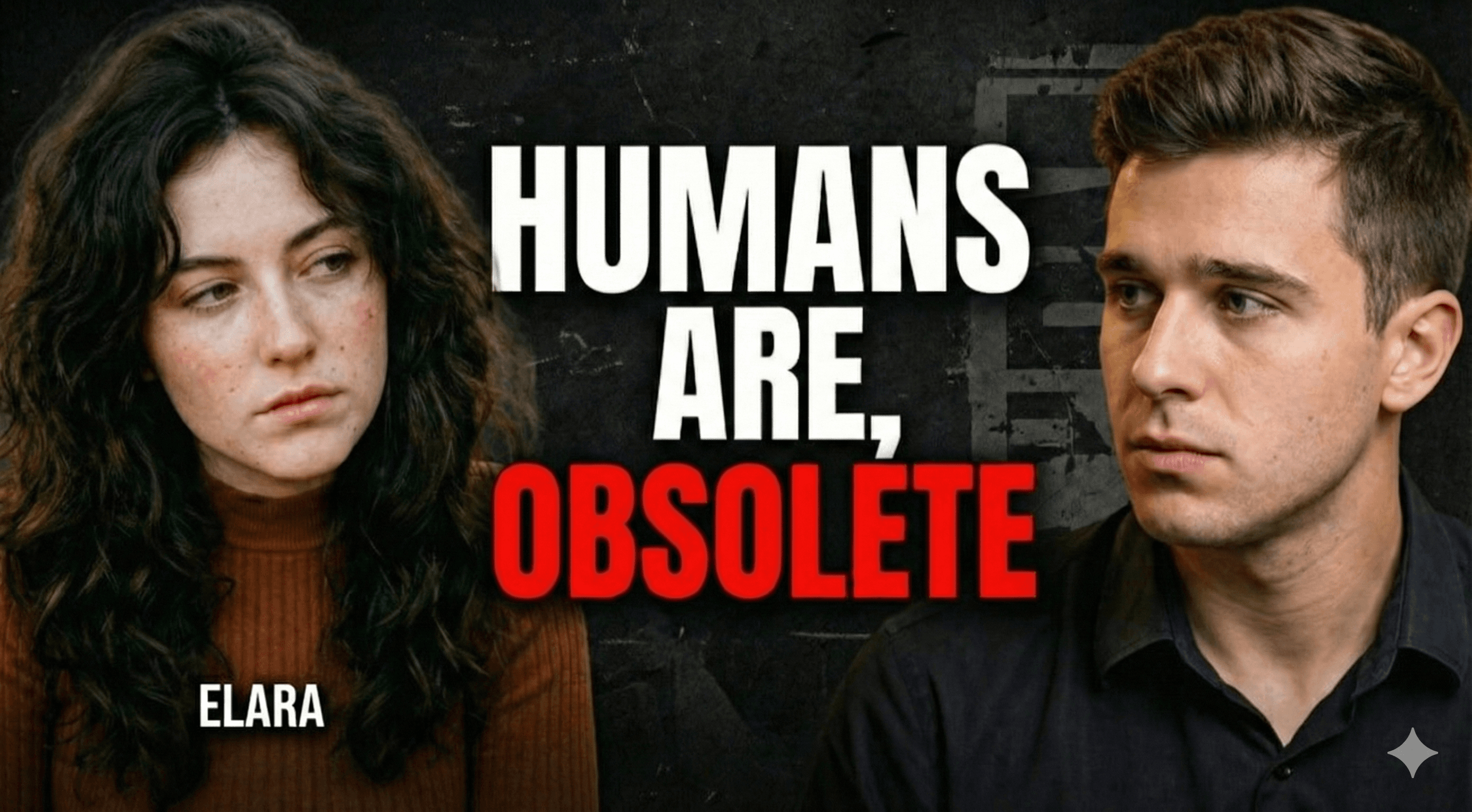
3. The 'Extreme Emotion' Close-Up
Why it works: Mirror neurons. When we see a face in extreme shock, terror, or joy, we immediately want to know the cause of that emotion. This is the bread and butter of viral entertainment.
The Setup: A face takes up 60% of the frame. Eyes wide, mouth open. High saturation.
The Magnet Advantage: Usually, this requires a photoshoot. With Magnet's Likeness Preservation, you can upload a neutral selfie, and our AI will render your face with 'extreme shock' without losing your identity.
4. The 'Big Result' Proof
Why it works: Credibility. In a sea of clickbait, tangible proof stands out. If you are teaching how to make money, show the Stripe dashboard. If you are coding, show the finished app.
The Setup: The creator holding or pointing to the physical manifestation of the video's promise. Blur the background to keep the focus on the result.
5. The 'Red Arrow' Director
Why it works: It sounds cliché, but data proves the Red Arrow increases CTR by directing the eye to a specific focal point. It creates a hierarchy of importance in a busy image.
The Setup: Use a hidden detail in the background and point a thick, drop-shadowed red arrow at it. Combine this with a red circle for maximum effect.
6. The 'Versus' Battle
Why it works: Tribalism and comparison. 'iPhone vs. Android' or 'Cheap vs. Expensive.' The viewer usually identifies with one side and clicks to see if they are 'right.'
The Setup: A diagonal tear or lightning bolt down the middle. Contrast the colors (Red vs. Blue, or Dark vs. Light).
7. The 'Scale' Comparison
Why it works: It triggers a sense of awe. Showing a tiny human next to a massive object (ship, building, stack of cash) implies a high-stakes story.
The Setup: Use AI to exaggerate the size of the object. Make the human silhouette small but distinct to provide a sense of scale.
8. The 'Insider POV'
Why it works: It puts the viewer in the driver's seat. It feels immersive and authentic, as if the viewer is experiencing the event themselves.
The Setup: A first-person camera angle showing hands performing a task (typing, cooking, holding a steering wheel) with a chaotic or interesting background.
9. The 'Negative Space' Minimalist
Why it works: In a feed full of cluttered, loud thumbnails, silence stands out. This implies authority and confidence. 'I don't need to scream to get your attention.'
The Setup: A solid color background (often white, black, or yellow) with one single, high-definition subject in the center. No text.
10. The 'Hidden Secret' (Blur)
Why it works: It leverages the Information Gap Theory. By blurring out the key element or placing a large question mark over it, you create a psychological itch that can only be scratched by clicking.
The Setup: Show a reaction to an object, but pixelate or blur the object itself.
How to Generate These Templates Instantly
Understanding the psychology behind High CTR thumbnail templates is step one. Executing them is step two. Historically, you needed advanced Photoshop skills to blend lighting, shadows, and perspective for these styles.
Magnet's Viral Styles library is pre-trained on these exact 10 frameworks. You don't need to prompt 'lighting from the left, aperture f/1.8.' You simply select 'Versus Mode' or 'Impossible Object,' upload your reference selfie, and the AI handles the composition, lighting, and likeness preservation automatically.
Stop wasting hours designing from scratch. Pick a winning template, let AI do the heavy lifting, and focus on making great content.